
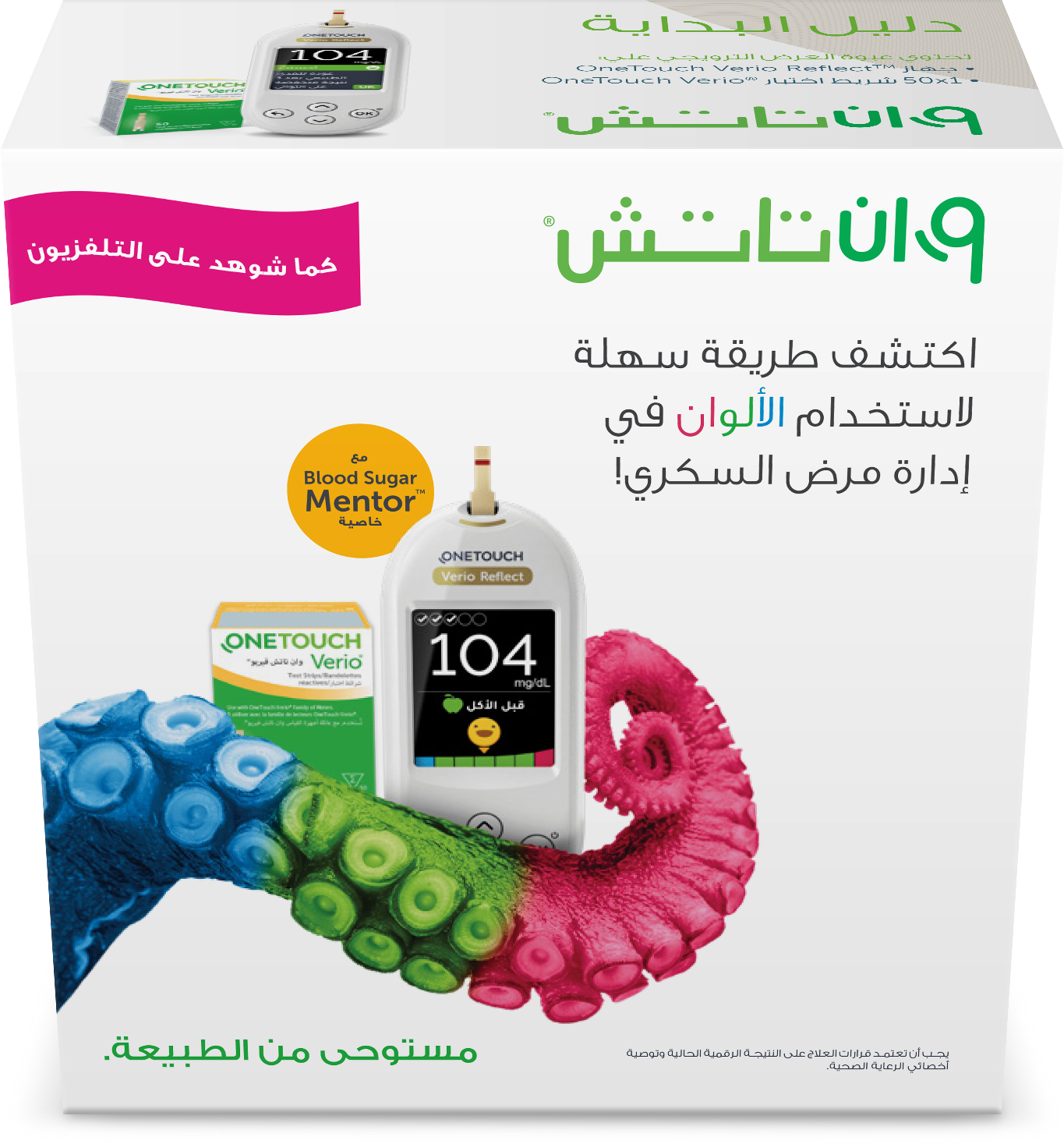
One Touch Verio Reflect Blood Glucose Monitor+ 50 Test Strips
202.44 AED
 193 Pts
One Touch Verio Reflect Blood Glucose Monitor+ 50 Test Strips
Product Description:
- Easy Blood Glucose Tracking: The OneTouch Verio Reflect Blood Glucose Monitor makes everyday blood sugar monitoring easier by tracking and displaying glucose readings.
- Reading History Storage: Automatically stores blood glucose readings along with the date and time for convenient glucose history tracking.
- Colour-Coded Glucose Indicators: Uses easy-to-understand colour indicators to identify high (pink), normal (green), and low (blue) blood glucose ranges.
- Compact & User-Friendly Design: Features a compact design with three convenient side buttons for adjusting settings and viewing previous blood glucose test results.

Product Features:
- Blood Sugar Mentor Messages: Delivers personalized insights, guidance, and encouragement to help users better understand and manage their diabetes.
- ColorSure Dynamic Range Indicator: Highlights when blood glucose readings are approaching high or low ranges, helping users take timely action before their levels go out of range.
- OneTouch Reveal App Connectivity: Wirelessly connects to the OneTouch Reveal mobile app for additional glucose insights, blood sugar tracking, and trend monitoring.
- Compatible Test Strips: Designed for use with OneTouch Verio Blood Glucose Test Strips.
.jpg)
How To Use
- Wash and Dry Your Hands: Wash your hands with warm water and mild soap, then ensure they are completely dry before testing.
- Insert the Test Strip: Insert a sterile OneTouch Verio test strip into the monitor's test strip port. A droplet symbol will appear to indicate that the device is ready for testing.
- Prepare the Blood Sample: Use a sterile lancet to prick the side of your fingertip.
- Apply the Blood Sample: Hold your finger at an angle and gently touch either side of the test strip to the blood droplet. The strip automatically draws in the blood sample.
- Wait for the Result: The monitor begins a 5-second countdown while processing your blood glucose reading.
- View Your Results: Your blood glucose reading, measurement unit, date, and time will appear on the monitor's display.

Discover OneTouch Reveal® App :


Share Data :
- See and share your progress with your family, friends, or your
trusted care network

Timeline:
- Draws a timeline of important blood glucose events, highlighting
when you have been repeatedly out of range

Logbook :
- Transforms data into quick visual snapshots that connect your
blood glucose with food, insulin, and activity

Syncs Seamlessly :
- Works together with your OneTouch Verio Flex® and One Touch
Select Plus Flex® meter so you have the information you need when you need it
Product Details:

Genuine brands

Temperature Controlled

Secure Payment
One Touch Verio Reflect Blood Glucose Monitor+ 50 Test Strips
Genuine brands
Temperature Controlled
Secure Payment
About Product
Product Description:
- Easy Blood Glucose Tracking: The OneTouch Verio Reflect Blood Glucose Monitor makes everyday blood sugar monitoring easier by tracking and displaying glucose readings.
- Reading History Storage: Automatically stores blood glucose readings along with the date and time for convenient glucose history tracking.
- Colour-Coded Glucose Indicators: Uses easy-to-understand colour indicators to identify high (pink), normal (green), and low (blue) blood glucose ranges.
- Compact & User-Friendly Design: Features a compact design with three convenient side buttons for adjusting settings and viewing previous blood glucose test results.
Product Features:
- Blood Sugar Mentor Messages: Delivers personalized insights, guidance, and encouragement to help users better understand and manage their diabetes.
- ColorSure Dynamic Range Indicator: Highlights when blood glucose readings are approaching high or low ranges, helping users take timely action before their levels go out of range.
- OneTouch Reveal App Connectivity: Wirelessly connects to the OneTouch Reveal mobile app for additional glucose insights, blood sugar tracking, and trend monitoring.
- Compatible Test Strips: Designed for use with OneTouch Verio Blood Glucose Test Strips.
How To Use
- Wash and Dry Your Hands: Wash your hands with warm water and mild soap, then ensure they are completely dry before testing.
- Insert the Test Strip: Insert a sterile OneTouch Verio test strip into the monitor's test strip port. A droplet symbol will appear to indicate that the device is ready for testing.
- Prepare the Blood Sample: Use a sterile lancet to prick the side of your fingertip.
- Apply the Blood Sample: Hold your finger at an angle and gently touch either side of the test strip to the blood droplet. The strip automatically draws in the blood sample.
- Wait for the Result: The monitor begins a 5-second countdown while processing your blood glucose reading.
- View Your Results: Your blood glucose reading, measurement unit, date, and time will appear on the monitor's display.
Discover OneTouch Reveal® App :
Share Data :
- See and share your progress with your family, friends, or your
trusted care network
Timeline:
- Draws a timeline of important blood glucose events, highlighting
when you have been repeatedly out of range
Logbook :
- Transforms data into quick visual snapshots that connect your
blood glucose with food, insulin, and activity
Syncs Seamlessly :
- Works together with your OneTouch Verio Flex® and One Touch
Select Plus Flex® meter so you have the information you need when you need it
Product Details: